Editing style
An editing style is the set of choices that makes every video from one creator look like theirs. It comes down to five things: how fast the cuts come, how the captions look, what fills the screen besides the speaker, the sound, and the colour and framing. Name those five and you can describe any style, find your own and copy one you like.
The five parts of an editing style
- 1. Pace and cuts
How long each shot holds and what gets cut. Fast talking-head edits cut every pause and breath. Documentary edits let a shot breathe.
To spot it: Count the cuts in ten seconds. Note whether pauses, breaths and retakes are gone, and whether the camera punches in on key lines.
- 2. Captions and type
The font, its weight and size, how many words show at once, where they sit, which word gets a colour, and how words arrive.
To spot it: Pause on a caption. Write down the font, the words per line, the position on screen and the highlight colour.
- 3. Graphics and b-roll
What fills the screen besides the speaker: pictures of what they name, stock clips, screen recordings, numbered points, charts, logos.
To spot it: List what appears in the first 30 seconds and how often something new arrives.
- 4. Sound
The music bed and how loud it sits under the voice, the sound effects on cuts and pop-ups, and where the edit goes silent.
To spot it: Listen once with your eyes closed. Note the music, every whoosh, pop or click, and what they land on.
- 5. Colour and framing
The grade (warm, moody, clean), the shape (vertical or wide), how the speaker is framed and whether the background is blurred.
To spot it: Take one still. Note the shape, where the face sits, the background and the overall colour.
Common editing styles
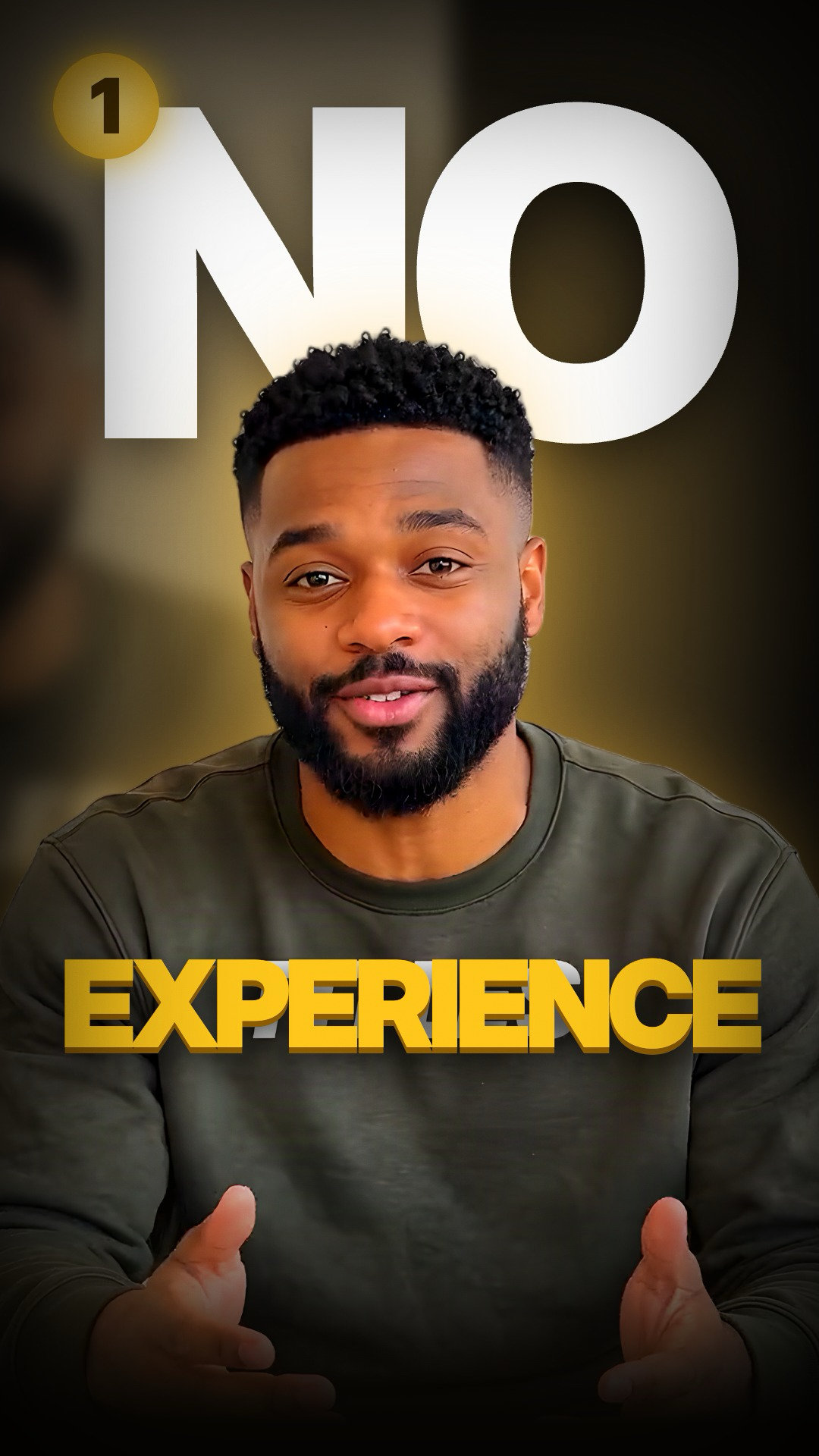 Fast talking headYou on camera, white words on your chest, the key word in gold and points that land numbered.
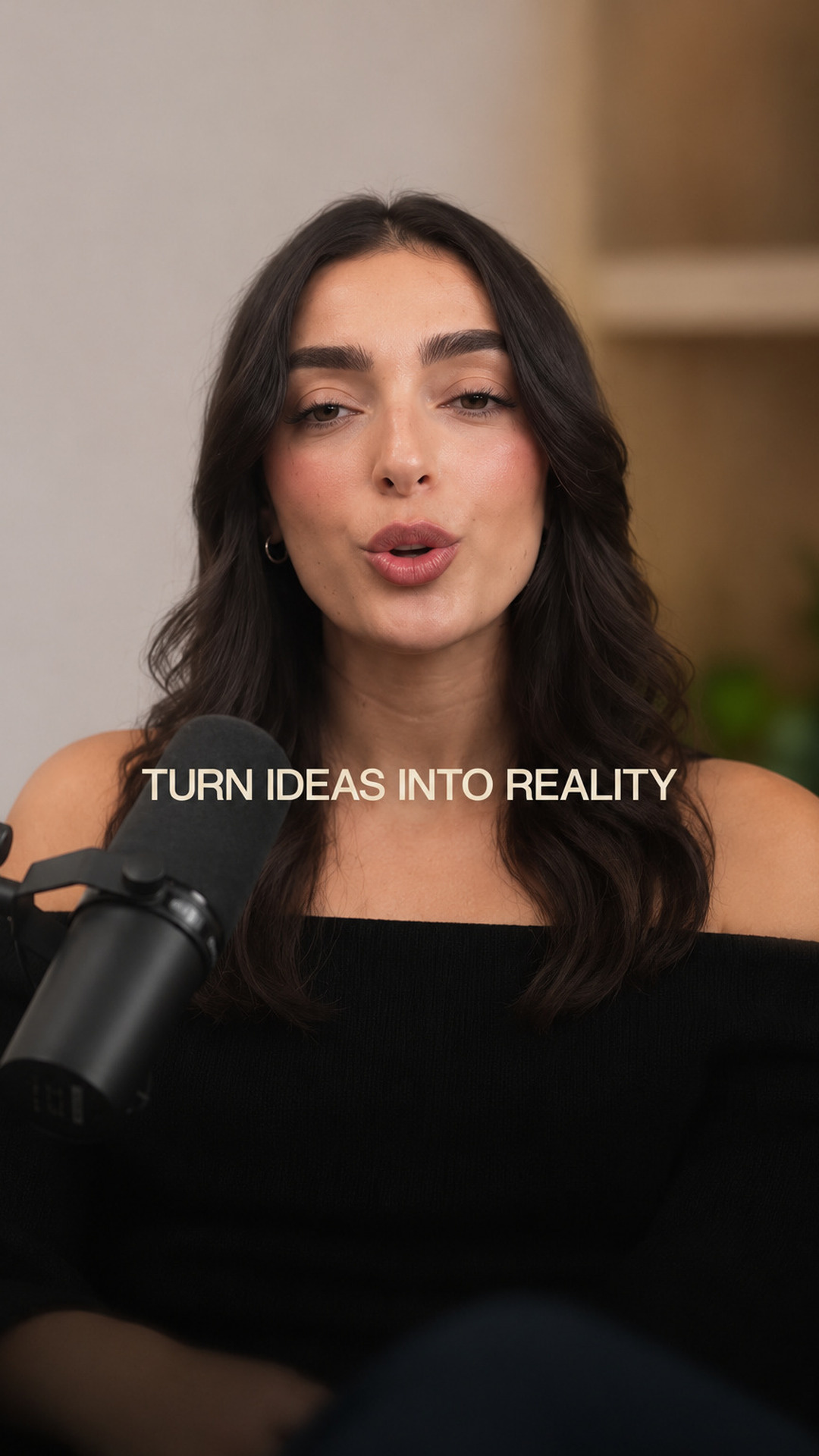 Soft talking headSoft pill captions and cream cards. Friendly and clear.
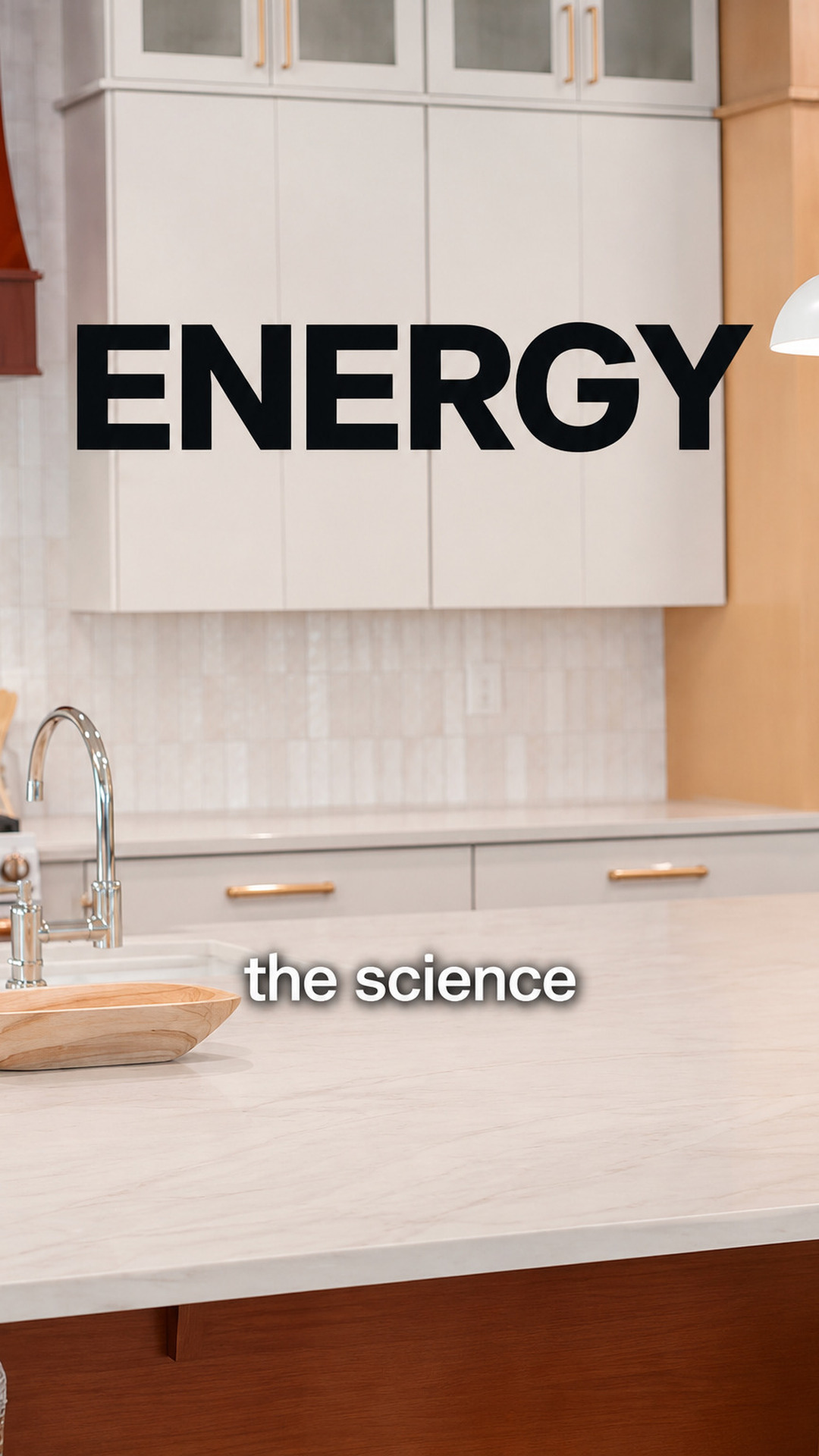 ExplainerA real picture of everything you name, a new one every second, cut clean around you.
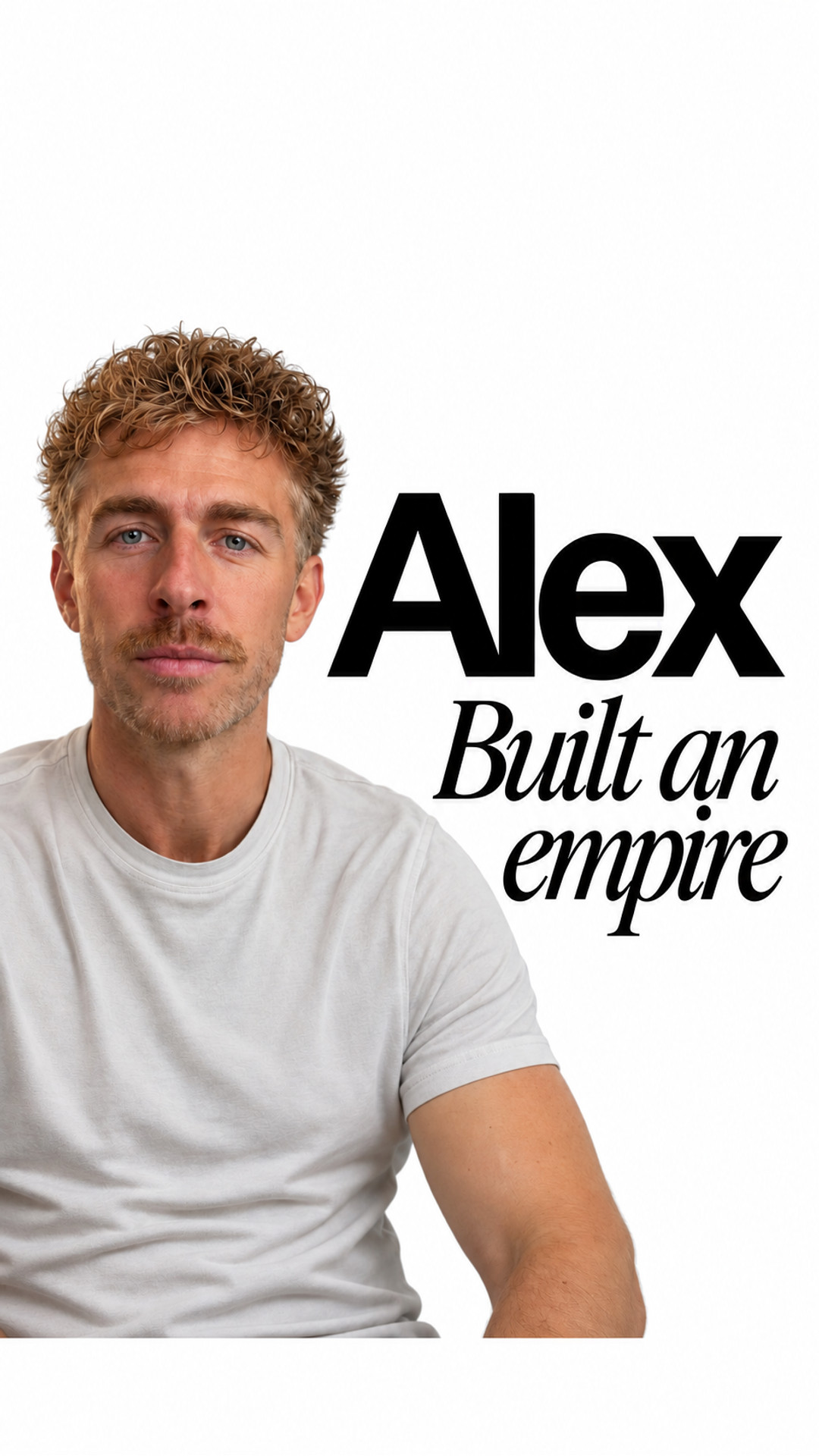 Name dropThe people and brands you name step onto white with their real faces, names and logos.
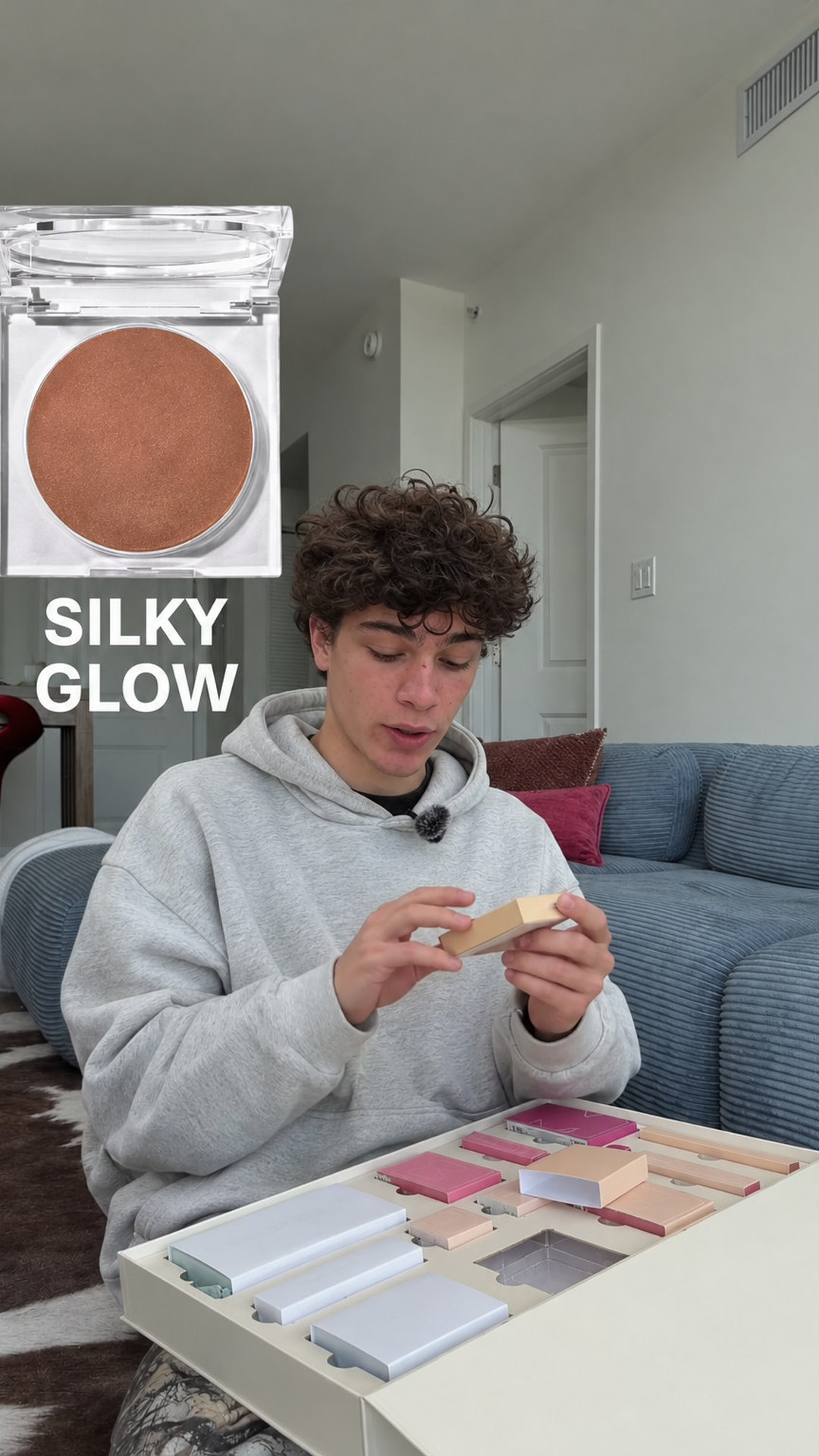 Product pop-upWhat you show pops up beside you with a click. For products, unboxing and reviews.
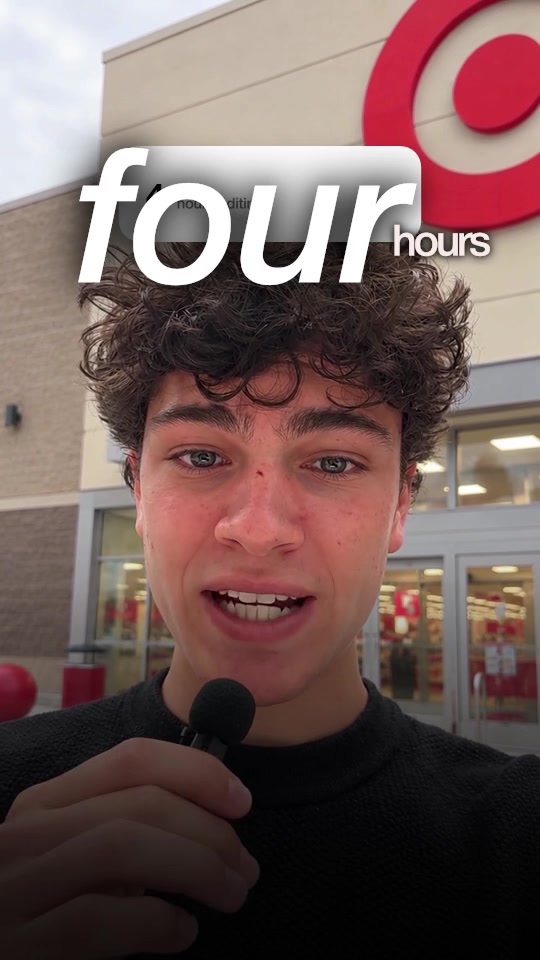 UGC adYour own product screens and the offer as a big number. Made to sell.
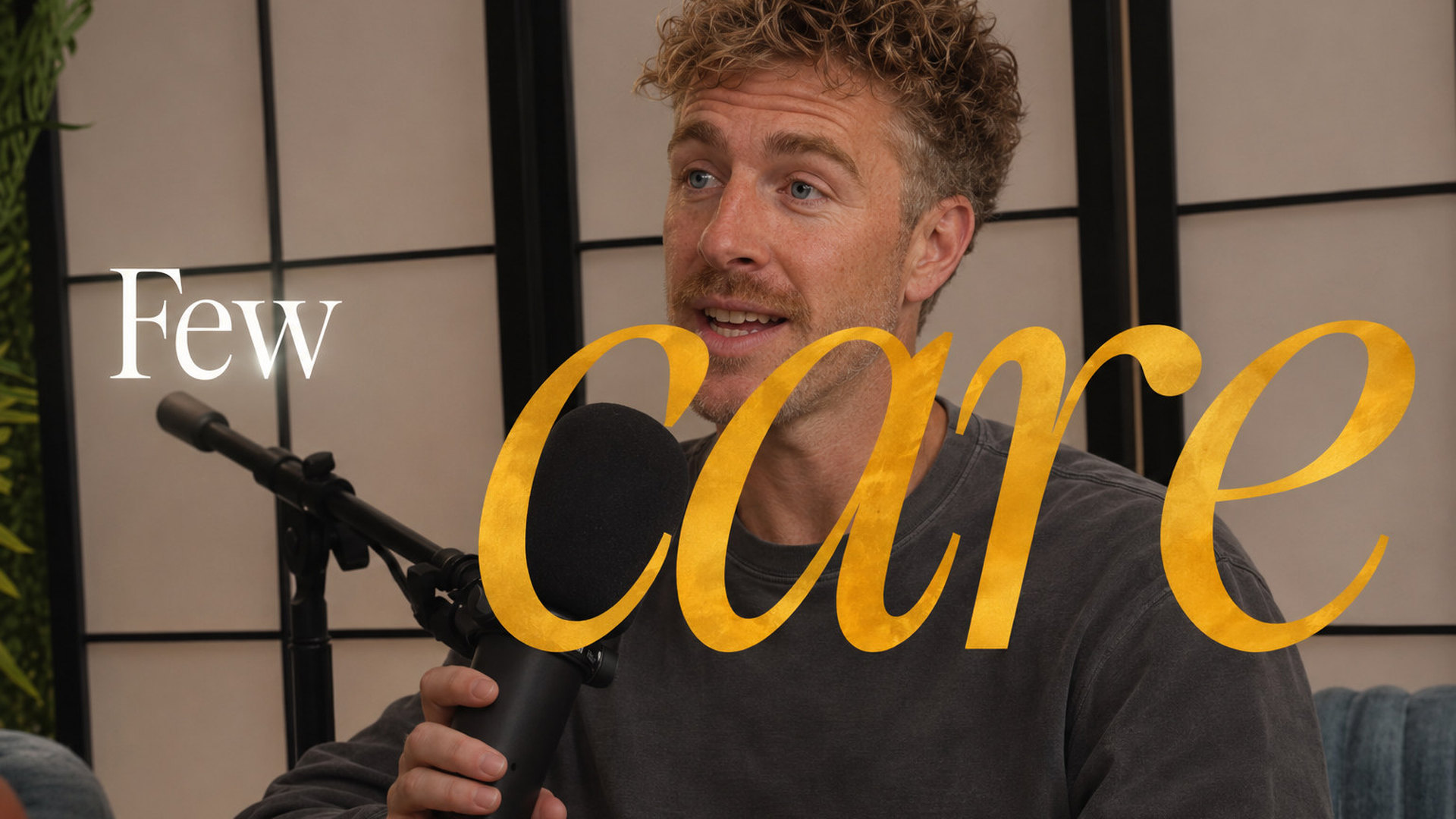 Podcast clipConversations where the picture follows who is talking.
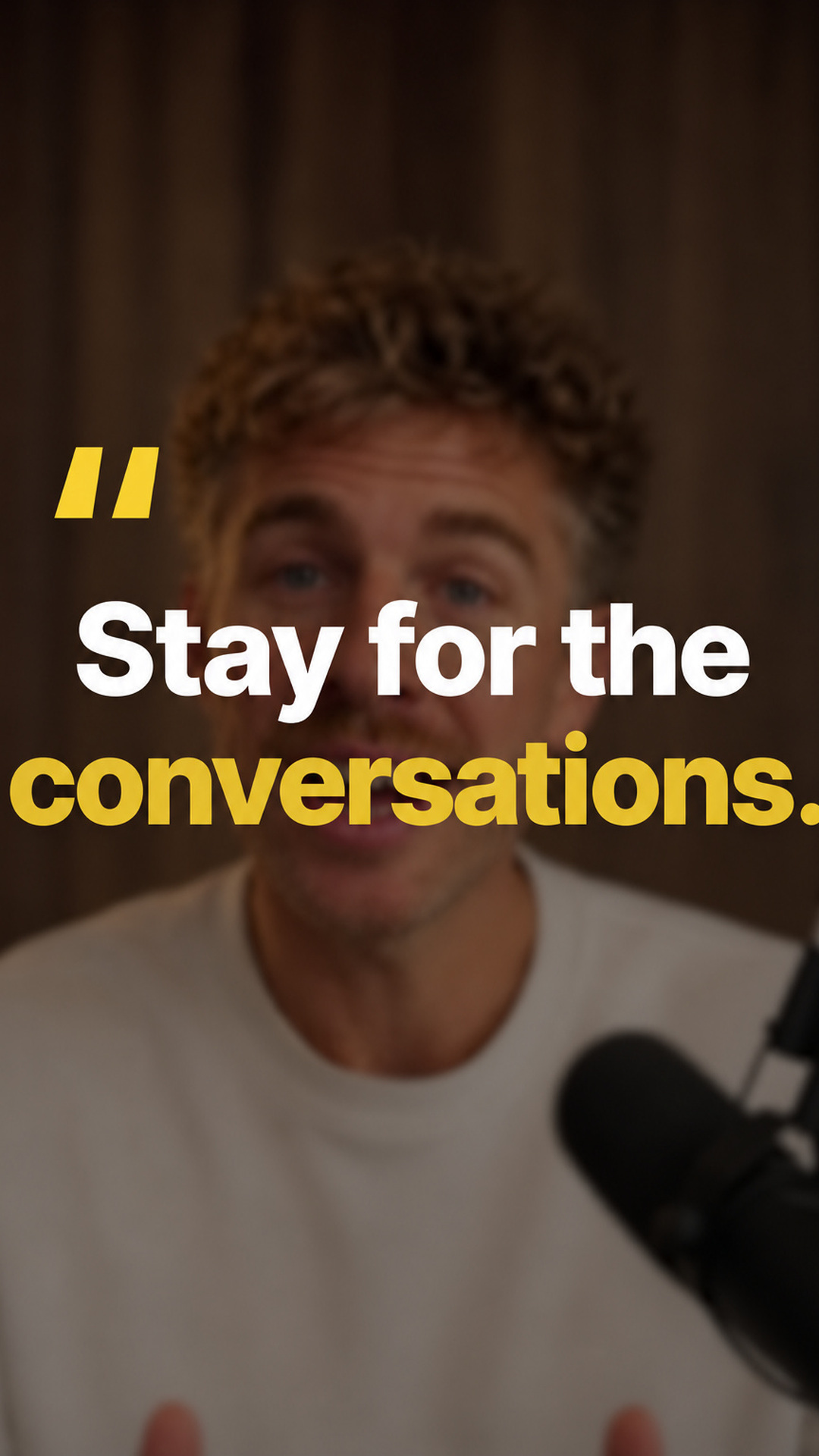 Call clipZoom and Meet calls cut vertical. Whoever talks fills the frame, big captions, their name.
How to find your editing style
- Save three to five videos you wish you had made. Pick them in the shape you post: vertical for Reels and TikTok, wide for YouTube.
- Write down the five parts for each. Pace, captions, graphics, sound, colour. One line each is enough.
- Keep what repeats. The choices that show up in most of your picks are your style. Drop the rest.
- Check it fits your footage. A fast caption style needs someone talking. A documentary style needs shots to cut to.
- Edit one video in it and post it. Then change one part at a time, so you can tell what made the difference.
- Use it on every video. A style works when people know it is you before they read your name.
How to copy an editing style
Study one video at a time and write down the five parts. Count the cuts, pause on the captions, list what fills the screen, listen with your eyes closed and take one still for colour. Then save those choices as presets in your editor. The full method.
Or let a tool do the measuring. Clypmint measures a reference video's captions, cuts, fonts, graphics and sound, then uses the style on your footage.
Questions
What is an editing style?
An editing style is the set of choices that makes every video from one creator look like theirs: the pace and cuts, the captions, the graphics and b-roll, the sound and the colour and framing.
What are the main types of video editing styles?
For short videos: fast talking head, soft talking head, explainer, name drop, product pop-up, UGC ad, podcast clip and call clip. For longer videos: documentary, cinematic story, editorial explainer and a plain clean cut.
How do I find my editing style?
Save three to five videos you wish you had made, write down the five parts for each, keep what repeats, check it suits your footage, then use it on every video.
Can I copy someone else's editing style?
You can copy the choices: the pace, the caption look, the layout and the kind of sound. Use your own footage, music you have the rights to, and nobody else's logo, face or exact graphics.
Can AI copy an editing style?
Yes. Clypmint measures a reference video's captions, cuts, fonts, graphics and sound, then uses the style on your footage. It follows the style rather than promising an identical copy, and copying a style uses a plan allowance and credits.